- or -
Right-click on the navigator pane and then, on the popup menu, click Add to Grocery List.
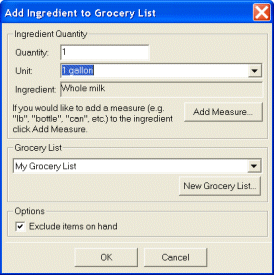
Tip Click Add Measure to add a measure to the ingredient.
Tip Click New Grocery List to create a new grocery list.
- or -
Right-click on the navigator pane and then, on the popup menu, click Add to Grocery List.
Tip Click Add Measure to add a measure to the ingredient.
Tip Click New Grocery List to create a new grocery list.
