Copy items to another grocery list

  1. Select the Shopping Navigator tab.
  2. How?

  3. Select a grocery list.
  4. On the Action menu, point to Other Actions and click Copy Grocery List Items.
  5. - or -

    Right-click on the Navigator treeview and then, on the popup menu, point to Actions and click Copy Grocery List Items.
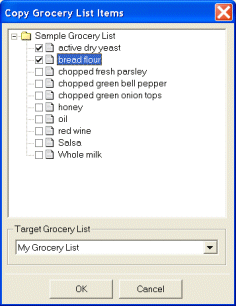
  6. Click the checkboxes next to the grocery items to select the items you want to copy.
  7. Select a target grocery list from the Target Grocery List list.
  8. Click OK.