 Show All
- or -
Right-click on the navigator treeview and then, on the popup menu, point to New, and then click Glossary Item.
- or -
Select a glossary item in the Navigator treeview and click New  on the task toolbar.
 Enter
the glossary item properties.
Enter
the glossary item properties.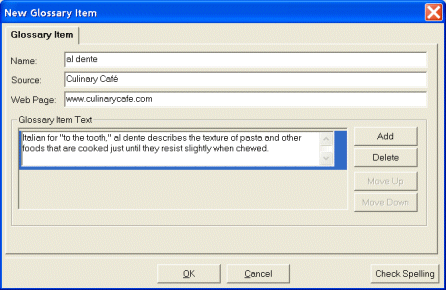
Tip Click Move Up or Move Down to change the order of the text.
